
Smart Staff Scheduling with Footfall Analytics
Retail labour planning is becoming a more strategic issue for Singapore and Southeast Asian retailers. Wage requirements are rising, skilled labour is harder to secure, and shopper demand is increasingly uneven across days, stores, malls, categories, and channels.
The answer is not simply to cut headcount. In many stores, the bigger opportunity is to match paid staff hours more closely to real shopper demand. Overstaffing quiet periods wastes labour budget. Understaffing peak traffic windows can weaken service quality, reduce conversion, and place more pressure on store teams.
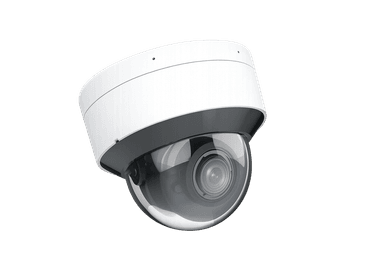
xTrack
AI shopper intelligence for footfall, heatmaps, demographics, and conversion visibility
Learn More →POS data shows what customers bought. Footfall data shows how many shoppers entered, when traffic peaked, where they moved, and where potential demand may have been lost.
Smart staff scheduling uses store traffic data, conversion visibility, POS sales, store hours, promotions, and local context to help retailers plan labour around the demand that actually arrives. For xRetail Solutions, this is a strong operational use case for xTrack, which provides AI shopper intelligence across footfall, heatmaps, demographics, and conversion visibility.
Used responsibly, these signals can help retailers move scheduling from manager intuition to a more measurable store operations workflow. The goal is not to replace store managers. It is to give them better evidence for deciding where staff coverage creates the most value.
Why retail labour planning needs better demand visibility
Retailers in Singapore are operating in a labour environment where workforce planning needs more precision. The Progressive Wage Model for the retail sector sets mandatory wage requirements for covered local retail workers, including retail assistants and cashiers. MOM lists wage floors rising across the 2024 to 2028 period, and also recognises retail seasonality by allowing eligible PWM gross wage requirements to be averaged over a three-month period.
That matters because store demand is rarely flat. A mall fashion store may see sharp traffic spikes on weekends and after work. A supermarket may need different service coverage across morning replenishment, lunch-hour baskets, and evening family shopping. A pharmacy may experience bursts linked to clinic traffic, weather, or nearby office patterns. An electronics store may need more advisory coverage when browsers become serious buyers, not just when transactions appear at the till.
At the same time, hiring more people is not always easy. ManpowerGroup Singapore reported in its 2025 Talent Shortage Survey that 83 percent of Singapore employers said they struggled to find skilled talent. For retailers, this reinforces the need to use available staff well. Better scheduling is not only a cost-control measure. It is also a service coverage, conversion protection, and employee workload issue.
Singapore retail demand remains active, but operational discipline still matters. SingStat reported that retail trade sales rose 3.0 percent year on year in May 2026, while F&B services were flat year on year. In this environment, stores need to capture demand efficiently when it appears, rather than relying on static rosters that may not reflect current traffic patterns.
Labour is one of the largest controllable operating costs in retail, alongside occupancy and inventory-related costs. That makes every paid hour important, but it also makes indiscriminate hour reduction risky. If a store reduces coverage during the wrong window, it may save wage cost while losing conversion, customer experience, and staff morale.
Why POS data is not enough for scheduling decisions
Many retail teams still schedule staff using a mix of last year's sales, manager experience, fixed shift templates, and recent POS performance. These inputs are useful, but they are incomplete.
POS data only records successful transactions. It does not show the customers who entered the store, browsed, waited, could not get assistance, and left without buying. It also does not show how many shoppers passed through a department, how traffic moved across the shop floor, or whether high footfall was supported by enough staff coverage.
This creates a blind spot. A quiet sales hour may mean there was little demand. It may also mean there was high shopper traffic but poor conversion because service coverage was too thin, fitting rooms were backed up, checkout queues were long, or product questions went unanswered.
Footfall data helps retailers separate these scenarios. When traffic is low and sales are low, the staffing decision may be to keep coverage lean. When traffic is high and conversion is low, the issue may be operational. The store may need more floor staff, better deployment by zone, stronger checkout coverage, or a different break schedule.
Operations research supports the connection between traffic, labour, sales, and conversion. Research published by INFORMS found that labour can moderate the impact of traffic on sales and that conversion rates may decline as traffic rises if store operations do not keep up. Other research on customer-traffic-based labour planning uses hourly customer traffic, staffing, and sales transaction data to optimise staffing levels and shifts while balancing sales contribution against salary costs. McKinsey has also reported activity-based labour scheduling and budgeting as an external benchmark for improving store operations. These are third-party findings, not guaranteed xRetail outcomes.
The practical takeaway is simple: sales history should inform scheduling, but it should not be the only input. Retailers need to understand demand that arrived, not only demand that converted.
How footfall analytics improves staff scheduling
Footfall analytics gives store teams a more detailed picture of demand. It can show when shoppers enter, how traffic changes by hour, which days behave differently, where customers spend time, and how in-store demand compares with actual sales.
For scheduling, the value is not raw traffic alone. The value comes from connecting traffic to operating decisions.
Build schedules around real traffic patterns
Retail teams can compare hourly footfall by store, day of week, season, promotion, and local event. This helps identify recurring peaks and quiet periods that may not be visible from daily sales totals.
For example, a mall apparel store may discover that weekday lunch traffic is higher than expected, but conversion is weak because staff breaks are concentrated during the same window. A smarter roster might stagger breaks, increase fitting room support, and assign one experienced team member to the floor during the lunch peak.
Protect conversion during peak windows
Peak traffic is valuable only if the store can serve it. When staff coverage is too thin, customers may wait longer, receive less product guidance, or abandon the visit. Conversion visibility helps managers see whether higher traffic is translating into sales or whether the store is losing potential demand.
This is where labour planning becomes a margin protection topic. The objective is not simply fewer hours. It is the right hours in the right windows, with enough service capacity to convert shoppers when intent is highest.
Reduce unnecessary coverage in quiet periods
Footfall analytics can also show where staffing is heavier than demand requires. A store may have fixed opening coverage even when the first two hours consistently show low shopper traffic. Another store may maintain late-evening staffing levels after traffic has already dropped.
Retailers can use these patterns to review shift starts, break timing, closing coverage, and task allocation. Quiet periods do not always mean fewer people. They may be better suited for replenishment, stock checks, visual merchandising, training, or fulfilment tasks. The point is to align paid time with the right type of work.
Improve zone-level deployment
Store traffic is not evenly distributed across the floor. Heatmaps can help retailers see which zones attract attention, which departments are underserved, and where congestion forms.
A pharmacy may need different coverage between prescription-adjacent aisles, wellness products, and checkout. An electronics store may need more advisory coverage near high-consideration categories during peak browsing hours. A supermarket may need checkout support at specific demand points rather than a general increase in headcount.
By combining heatmaps with conversion and sales data, managers can move from store-level staffing to zone-level deployment.
Support fairer, more explainable scheduling
Scheduling changes can affect employee routines, morale, and workload. Data does not remove the need for good management, but it can make decisions more explainable.
Instead of saying a shift pattern is changing because management thinks weekends feel busy, operations leaders can show recurring traffic peaks, conversion gaps, queue pressure, and service coverage needs. This helps create a more transparent discussion about why certain shifts matter.
Practical scheduling use cases by store type
Mall fashion store
A fashion retailer may see heavy browsing after office hours and on weekends, but conversion depends on fitting room availability and floor assistance. Footfall and heatmap data can help the store plan more fitting room support during peak try-on windows, stagger breaks away from evening peaks, and assign experienced staff to high-interest zones.
Supermarket or grocery format
A grocery operator may need to distinguish replenishment labour from customer-facing service labour. Traffic analytics can help identify when checkout lanes, self-checkout support, and fresh food counters need more coverage. Quiet shopper periods can be reserved for replenishment and back-of-house tasks where possible.
Pharmacy or health retail
Pharmacies often experience uneven traffic tied to nearby clinics, office clusters, weather, and seasonal health needs. Footfall patterns can help managers plan advisory coverage for peak periods while keeping quieter windows efficient.
Electronics or high-consideration retail
Electronics stores often need staff with product knowledge, not just cashier coverage. Traffic and conversion data can help managers see when browsing intensity rises, which zones attract the most attention, and where staff availability may affect conversion.
Omnichannel retail stores
For omnichannel retailers, sales may shift across online and offline channels, but store labour still needs to respond to physical demand. SingStat's online retail sales proportion dataset reinforces that official retail measurement now tracks online share, which supports the need to understand store performance beyond total sales. Stores may support browsing, pickup, returns, consultation, fulfilment, and brand experience. Scheduling should reflect those physical workflows, not only POS sales.
Implementation checklist for retail teams
1. Define the scheduling problem clearly. Decide whether the main issue is peak understaffing, quiet-period overstaffing, uneven service quality, queue pressure, low conversion, poor break timing, or inconsistent staff deployment by zone.
2. Combine footfall with POS and conversion data. Footfall data is strongest when it is paired with sales, transactions, conversion, store hours, promotions, local events, and staffing records. Avoid treating traffic as the only scheduling signal.
3. Start with hourly patterns. Review traffic and conversion by hour, day of week, and store location. Look for recurring windows where demand and staffing appear misaligned.
4. Identify peak conversion windows. Not every traffic peak deserves the same staffing response. Prioritise periods where additional service coverage can support conversion, customer experience, or queue management.
5. Review break timing and task allocation. Some scheduling gains come from better timing rather than more staff. Adjust break patterns, task windows, replenishment periods, and floor deployment before assuming that headcount must change.
6. Test changes store by store. Pilot scheduling adjustments in selected stores before scaling. Compare traffic, conversion, sales, queue indicators, staff feedback, and operational workload.
7. Keep employee impact visible. Responsible scheduling should consider staff wellbeing, predictability, fairness, and compliance. A more data-driven roster should still be practical for store teams to work.
8. Review regularly. Traffic patterns change with seasons, campaigns, tenancy mix, weather, holidays, and channel behaviour. Scheduling should be reviewed as a recurring operating rhythm, not a one-time project.
How xTrack supports smarter labour planning
xTrack is xRetail Solutions' AI shopper intelligence solution for footfall analytics, heatmaps, demographics, and conversion visibility. For workforce planning, its role is to help retail teams understand real shopper demand at store level and translate that visibility into better operating decisions.
With xTrack, retailers can analyse how many shoppers enter a store, when traffic rises or falls, which zones attract attention, and how shopper demand compares with sales outcomes. These insights can support practical scheduling decisions such as aligning staff coverage with recurring traffic peaks, reviewing whether low conversion periods are linked to insufficient service coverage, identifying quiet windows for non-selling tasks, improving zone-level deployment in larger stores, comparing traffic and conversion patterns across locations, and supporting area managers with a more consistent view of store demand.
xTrack should not be positioned as a standalone labour scheduling system unless that feature set is separately confirmed. A more defensible and useful framing is that xTrack provides the shopper intelligence layer that helps retailers make more informed staffing decisions when combined with POS, workforce planning, promotions, and local operating context.
For retailers facing higher labour costs and tight talent availability, this visibility can help shift the scheduling conversation. Instead of asking only how to reduce hours, leaders can ask where paid hours create the most operational value.
Conclusion
Smart staff scheduling is not about replacing store managers' judgement. It is about giving managers and operations leaders better evidence.
Retailers already know that every hour of labour matters. The challenge is knowing which hours matter most, where staff coverage affects conversion, and where schedules no longer match shopper demand. POS data alone cannot answer that. Footfall analytics adds the missing demand signal.
By combining footfall, conversion, heatmaps, POS, workforce data, and store context, retailers can plan labour around real shopper behaviour. The result is a more disciplined way to protect margins, support service quality, and use scarce retail talent where it has the greatest impact.
See how xTrack helps retail teams align staffing decisions with real shopper demand.
FAQ
Q: What is smart staff scheduling in retail?
A: Smart staff scheduling is the practice of planning store labour around real demand signals, not only fixed shift templates or historical sales. It can include footfall, conversion, POS sales, promotions, store tasks, local events, and employee availability.
Q: Why is footfall data useful for staff scheduling?
A: Footfall data shows how many shoppers entered the store and when demand occurred. This helps retailers see traffic peaks, quiet periods, and missed conversion opportunities that may not appear in POS data alone.
Q: Can footfall analytics reduce retail labour costs?
A: Footfall analytics can help retailers identify where staffing may be misaligned with demand. It should be framed as a planning and optimisation tool, not a guaranteed cost reduction. Actual outcomes depend on store format, labour model, implementation quality, and operating constraints.
Q: How should retailers use POS and footfall data together?
A: POS data shows what was sold. Footfall data shows the demand that arrived. When used together, retailers can compare traffic, conversion, and sales by hour or location to understand whether staffing levels support customer demand.
Q: Is xTrack a staff scheduling system?
A: xTrack is best described as an AI shopper intelligence solution covering footfall, heatmaps, demographics, and conversion visibility. It can support smarter labour planning by providing demand insight, especially when combined with POS and workforce planning tools. Any claim about direct scheduling automation should be verified against the confirmed xTrack feature set before publishing.
Sources
- Singapore Ministry of Manpower: Progressive Wage Model for the retail sector
- Singapore Department of Statistics: Monthly Retail Sales Index
- data.gov.sg: Online Retail Sales Proportion
- ManpowerGroup Singapore: 2025 Talent Shortage Survey
- INFORMS: Effect of Traffic on Sales and Conversion Rates of Retail Stores
- SSRN: Labor Planning and Shift Scheduling in Retail Stores Using Customer Traffic Data
- INFORMS: Improving Retail Store Performance with Responsible Scheduling Practices
- McKinsey: Smarter schedules, better budgets - How to improve store operations
Related Articles
Continue exploring insights from xRetail Solutions
Ready to Transform Your Retail Operations?
Explore how xRetail Solutions connects shopper intelligence, resilient store networks, and unified operations visibility for modern retail teams.
Contact Our Team